Support
Stuck, found a bug, or just want to say hi to the cats? Email me and I'll get back to you.
Common questions
How do I play?
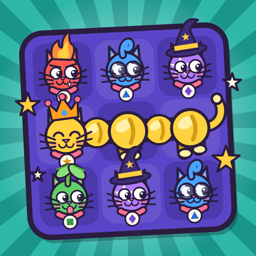
Drag a cat head onto a neighbouring one (or tap one, then the other) to swap them. Cats of the same colour that touch, up, down, left or right, join into a body, and 4 or more make a cat-e-pillar that crawls off the board. The faces at the top show which cats are hungry: finish a cat-e-pillar right next to a bowl in its colour to feed that cat. Fill every order before your moves run out to go up a level. How to play on the main menu has the details.
What do rainbow yarn and hairballs do?
A cat-e-pillar 6 long leaves a rainbow yarn ball behind. Swap it with a cat to clear every cat of that colour (and feed their bowls). Hairballs can't be moved; finish a cat-e-pillar next to one to sweep it away.
How do I unlock outfits?
Open Wardrobe on the main menu to see each outfit's goal, like reaching a level or filling bowls. New outfits unlock at the end of a game, and you can dress each cat however you like.
I bought Remove Ads but still see adverts
Open the main menu and tap Restore purchases. Make sure you're signed in to the App Store with the same Apple Account you bought it with.
I got a new phone. How do I get Remove Ads back?
Install the game, then tap Restore purchases on the main menu. It's free.
There's no sound
Check your iPhone isn't on silent (the switch or Action button on the side) and the volume is up. Music and sound effects can also be toggled with the buttons in the game.
My score isn't on the leaderboard
Make sure you're signed in to Game Center in Settings › Game Center. Scores are sent when a game ends, and the leaderboard shows your best.
How do I change my ad privacy choices?
Tap Privacy choices on the main menu (shown in the UK and EU), or go to Settings › Privacy & Security › Tracking. See the privacy policy for details.
How do I get a refund?
Purchases are handled by Apple. Request a refund at reportaproblem.apple.com.